
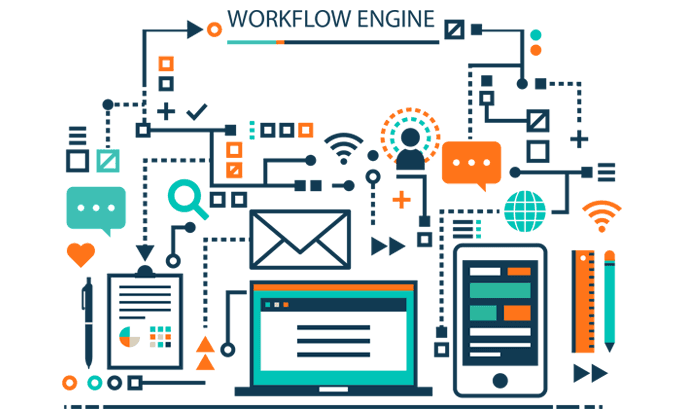
Automated help desk software is one of the pillars of successful customer service and support. As their businesses grows, companies realize the necessity of having an automated help desk system to attend to submitted inquiries and requests.
In a manual support process, an agent usually repeats the same task a dozen times within a working day. However, they can’t repeat the same task with 100% accuracy. Subtle variations are inevitable in each step of the process. Help desk automation helps businesses willingly serve customers, resulting in a massive increase in their base and significant return on investment.
To establish a streamlined process in customer support center, the workflow engine helps you to speed up resolving requests by automatically carrying out certain predefined actions. In the long run, even the smallest enhancement can enrich customer satisfaction.
Introducing Workflow Rules and Commands
The workflow engine allows support agents to manage processes and responsibilities, and deliver the best experience to customers. To make the best use of automation capabilities, incoming requests are automatically examined. Your customers may require varying intensity and levels of help depending on your product’s type and nature.
The workflow rules compare the predefined actions by evaluating multiple attributes and fields against the request’s data, such as submission of new requests, whether by web form or email. On the support side, the manual ticket actions are also monitored and evaluated: agent replies, ticket assignments, and internal request submissions. Workflow rules ensure that nothing is missed out on a request by automatically carrying out commands that follow an action:
- It helps move requests towards faster resolution
- Agents save time to focus on their core mission
- Help desk automation enables agents to avoid repetitive manual tasks.
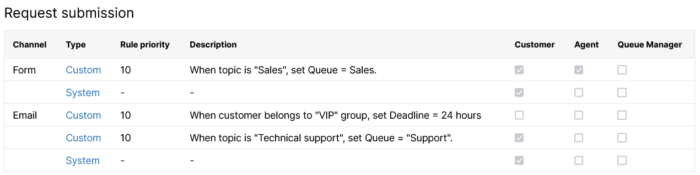
How do workflow commands work?
Workflow commands alter tickets after an action is taken based on a set of rules. Each rule can be compared to request attributes such as the customer’s name, address, group, the topic of the request raised, certain keywords included in the message, etc.
Let us look at the example of an IT service provider. In their requirements, customers can have a single issue or a combination of various problems at various stages of their daily work. Examples of raised tickets include “System down”, “Poor performance”, and “Transaction commit declined”. These are all serious concerns, and if not addressed with a prompt resolution from the support team may result in major customer dissatisfaction.
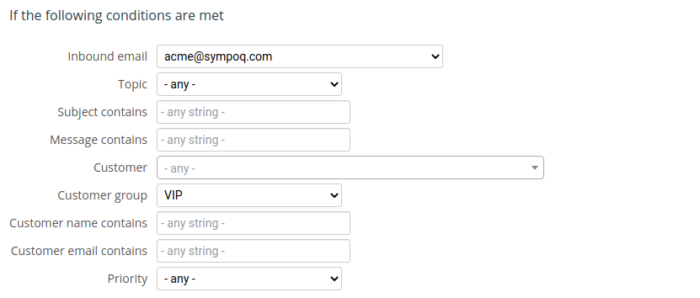
Based on these requirements, a set of multiple rules based on the request subject should be created. For each case, set the field “Subject contains” with the corresponding string or select the “Topic”. Afterward, choose how each request should be handled in terms of the ticket action or command. Going back to the example, when a requests is submitted, it should be assigned to the best-performing agent. They can also be moved to a specific queue, set with a ticket deadline, or change the ticket priority.
Send Automated Email Notifications
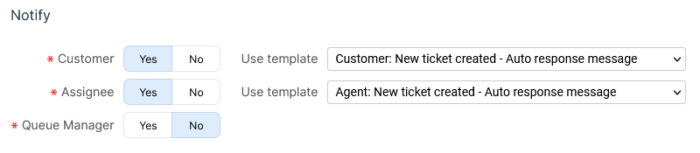
Automated email notifications can be sent to interested parties regarding service requests where information provision is necessary. The notifications can be sent to customers, agents who are generally assigned a particular type of request, or managers. Based on the included information in the message, the notifications could be auto-responses, alerts, or contain full agent responses. You can easily change the purpose of notifications by setting up email templates.
Let’s go back to our IT service provider example once again to see how the email notification feature works. In this example, the title of the submitted requests was “System down”. Generally, such cases require immediate reaction by the IT team.
With workflow rules, the IT service provider can immediately send an email notification to the customer that the issue has been recorded. Afterward, a similar email notification should be sent to the agent assigned to the issue. Eventually, the customer can also be informed that their issue has been taken into consideration and they can expect a resolution within a certain time frame.
The system keeps a record of all email notifications, which is provided in a ticket action log. The internal communication between team members is hidden from customers. Administrators can modify or delete invalid rules from the system at any time.
Automation Keeps Both Customers and Agents Happy
Support providers prefer SympoQ for its ease of use, multichannel communication, and rule-based automation with workflow rules and commands, wherein managers don’t lose time transferring tickets to relevant agents. They should rather focus on the core problems and not get distracted by the redundant tasks required by daily request management.

